 Animweb Technologies
Leaving the class screen and stepping out
What happens when a student leaves Presence during class, how students ask to step out, how teachers allow it with a time limit, and what is recorded.
2 min read
During a live class the student keeps Presence open on the class screen. Two things are recorded for every student and every lecture: time away from the class screen, and requests to step out with the teacher’s decision.
Leaving the class screen
If a student switches to another app, goes to the home screen, answers a call or turns the screen off:
- the teacher sees “Left the class screen” on the live roster at once, with a notification;
- the time away is measured and kept on the student’s record;
- time away is not counted as time in class, so it lowers the student’s verified percentage.
When the student comes back after a call, Presence asks “It was a phone call?”. If they tap it, the teacher sees that too. Calls always come through - Presence never blocks them.
Focus mode. Students can tap Focus mode to show the class screen full screen while they are in class.
Why phones are not locked. A web app like Presence cannot lock a phone to one screen, and phones pause apps that are not on screen. Presence therefore records every time the class screen is left instead of trying to prevent it.
Asking to step out
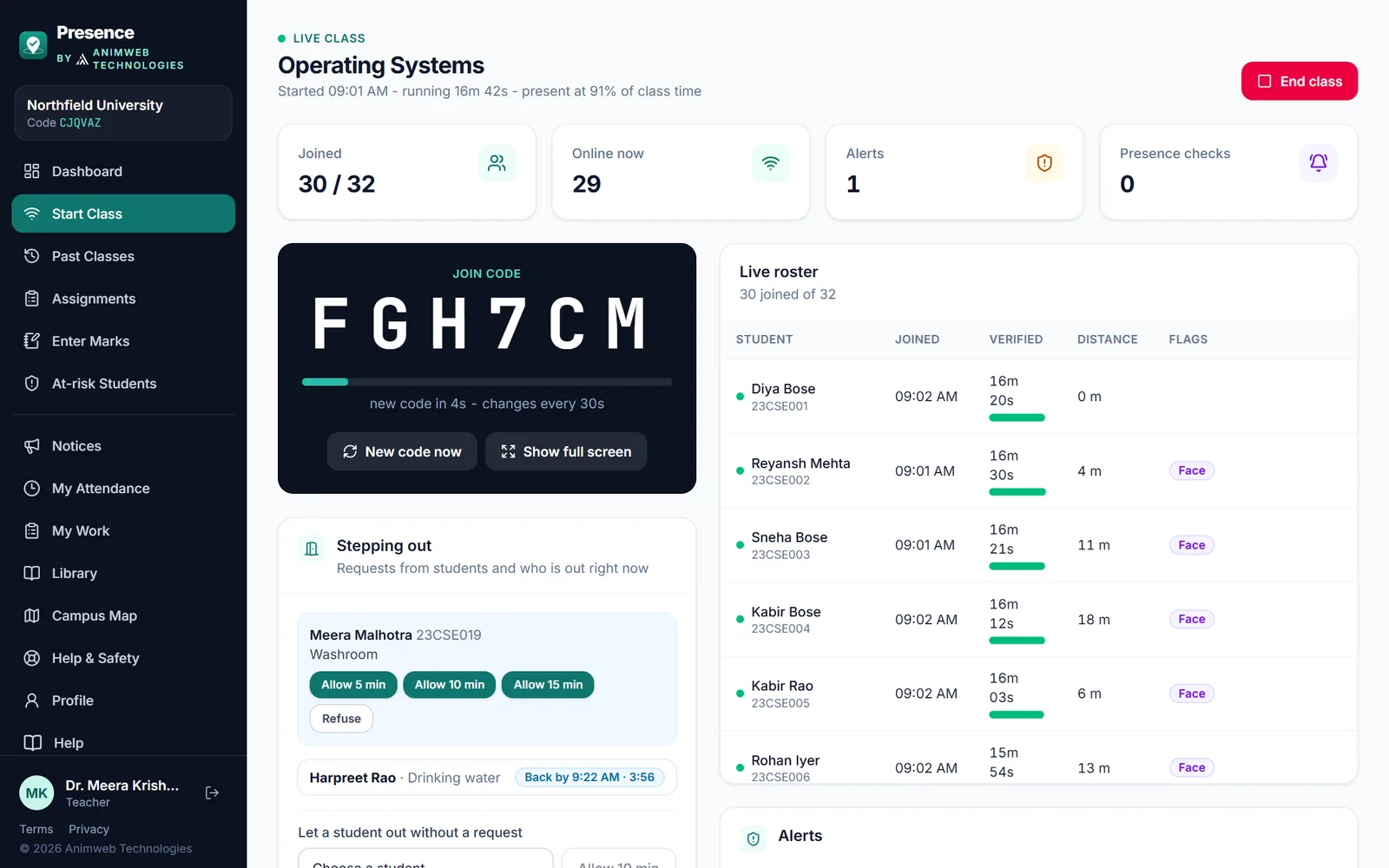
Requests appear under Stepping out on the teacher’s live class screen.
- The student taps Ask to step out and picks a reason: washroom, drinking water, urgent phone call, feeling unwell, called to an office or other, with an optional note.
- The teacher sees the request under Stepping out on the live class screen and taps Allow 5 min, Allow 10 min, Allow 15 min or Refuse.
- The student sees the time to be back and a countdown.
While a student is out with permission:
- they are not checked out and the time does not count against them;
- leaving the app or the classroom is not flagged.
The teacher can also let a student out without a request: Let a student out without a request → Allow 10 min.
Coming back late
- When the time runs out, the teacher is told the student is not back in time and it is recorded.
- When the student is back in the room, the request closes with how many minutes late they were.
- A request still waiting when the class ends expires; permission that was used but not closed is recorded as late.
After the class
When the teacher ends the class, the student’s phone is free until the next teacher starts a class and the student marks attendance again. The review screen and the student’s record keep every time away and every step-out request, with reasons, times and decisions.